
How to use the Claim Management feature

We have rolled out a new feature to consolidate and track your Attendance billing in the iCM system called Claims Management. You will see this tile on your main dashboard.
Claims Management Overview
Customers who currently use ICM for 837P or 837I billing have access to a dedicated Billing View button on the Main Dashboard. With the introduction of the new Claims Management feature, the existing 837P and 837I billing views will be retired.
Going forward, customers who bill using 837P, 837I, or both will utilize a single unified module called Claims Management for all billing activities.
The Claims Management tile is available on the ICM Dashboard and serves as the central hub for claim creation, review, submission, and tracking.

Claims Management Module Structure
The Claims Management module consists of three primary tabs:
- Draft
- Ready
- Tracking
-
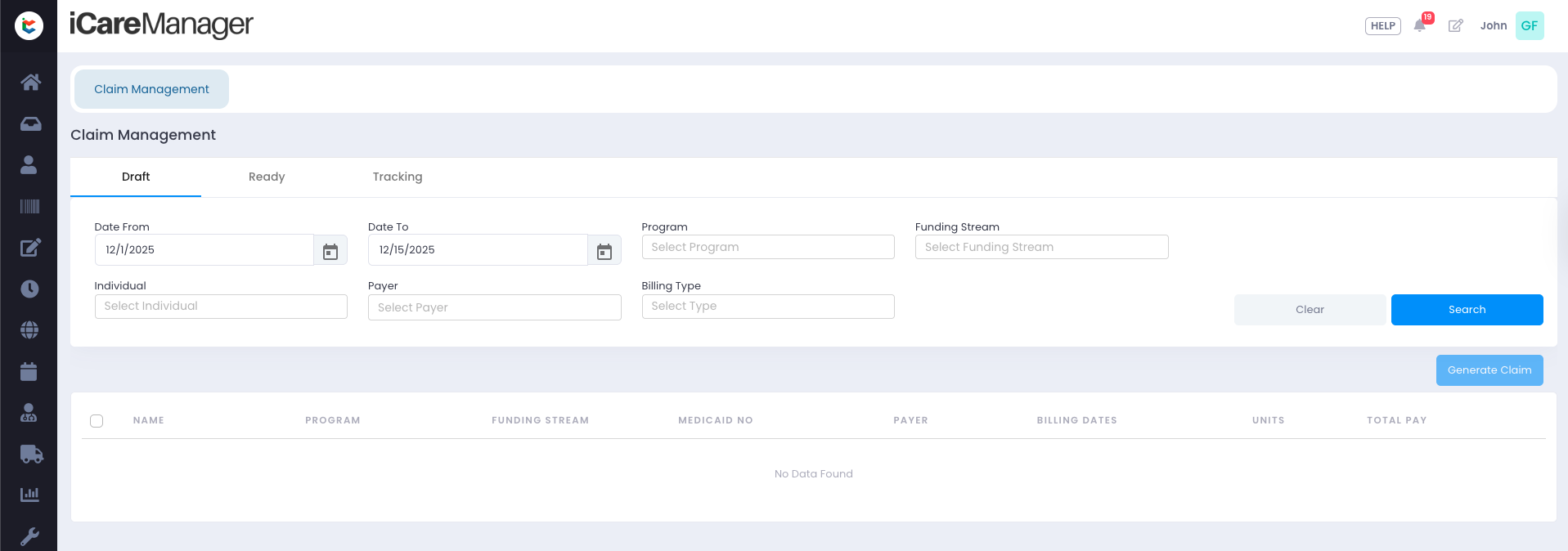
A comprehensive dashboard summarizing financial metrics and claim statuses will be introduced in a future release.
Draft Tab – Claim Preparation
In the Draft tab, users can search for attendance-based claims using filters such as Date Range, Program, Funding Stream, Individual, Payer, and Claim Type.
The system validates all attendance logs and identifies missing or invalid information required to generate claims. Users must resolve all exceptions before proceeding.
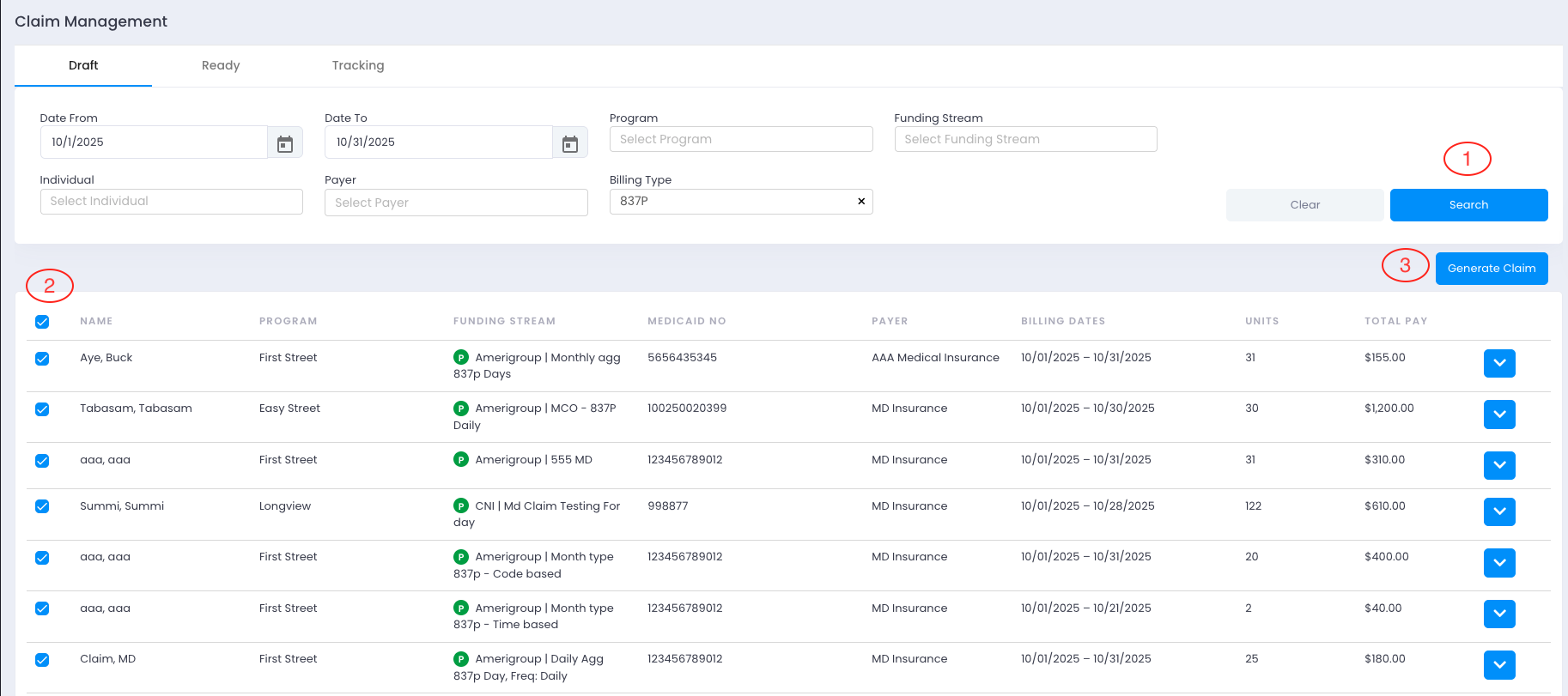
After corrections are completed, users can select eligible attendance logs and generate claims in bulk. Generated claims automatically move to the Ready tab with a Ready status.
Ready Tab – Claim Review and Submission
In the Ready tab, users can review generated claims, verify claim details, and validate all underlying attendance logs.
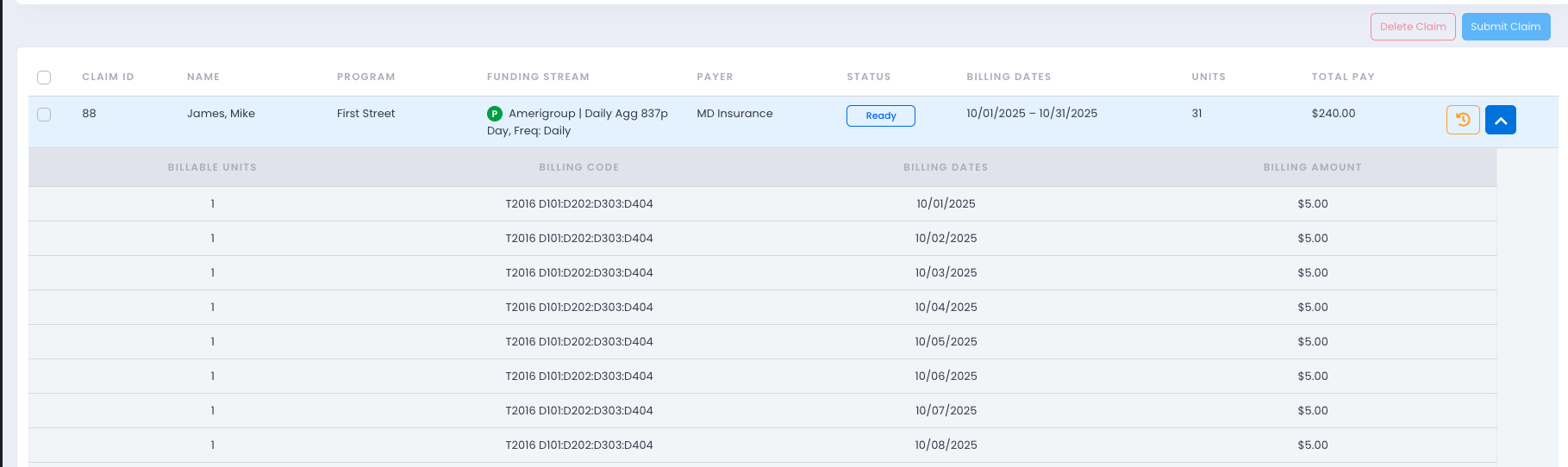
Once reviewed, users select claims and submit them. The system downloads billing files in the required format:Excel or CSV for customized billing workflowsX12 format for Waystar billing
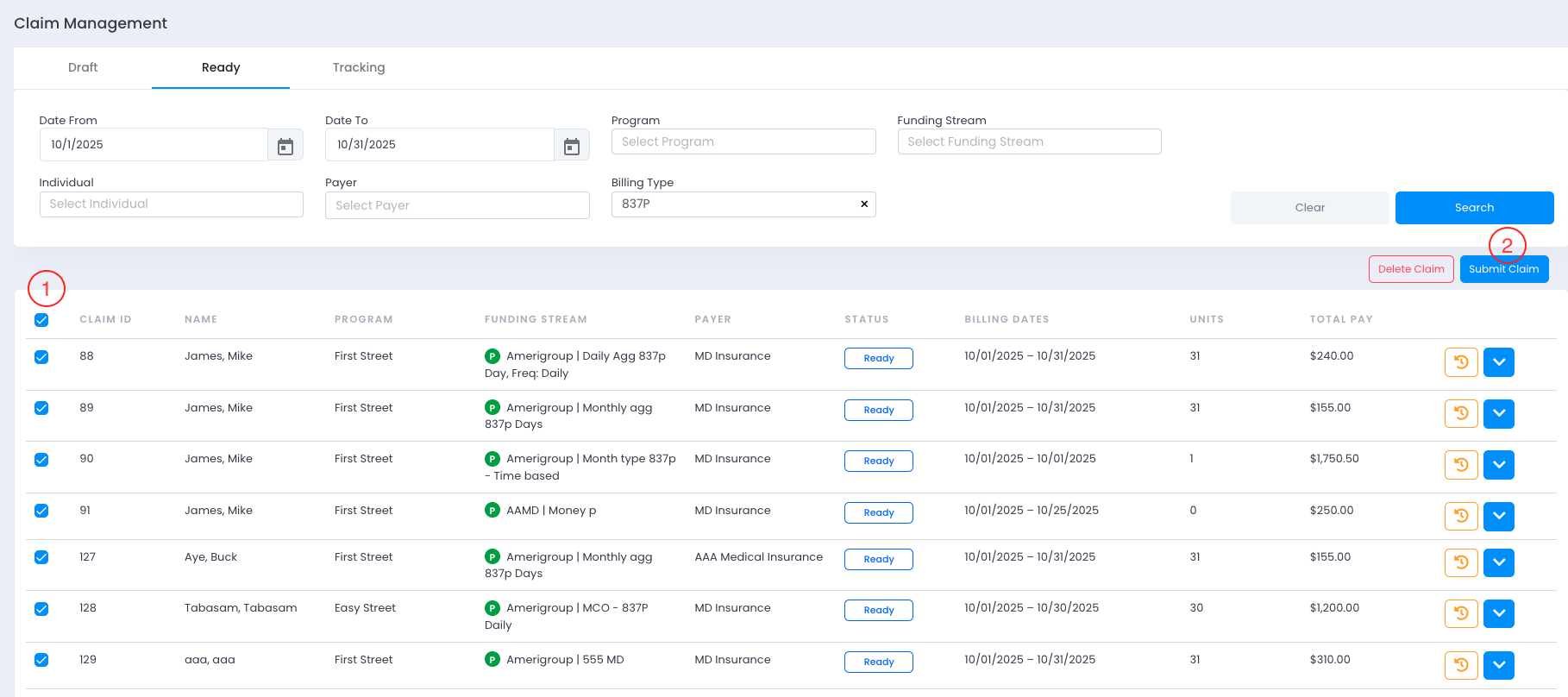
Submitted claims move to the Tracking tab with a Submitted status.
Tracking Tab – Post-Submission Monitoring
Users upload downloaded billing files to their billing portals. After payment is received, claim status is updated from Submitted to Billed in the Tracking tab.
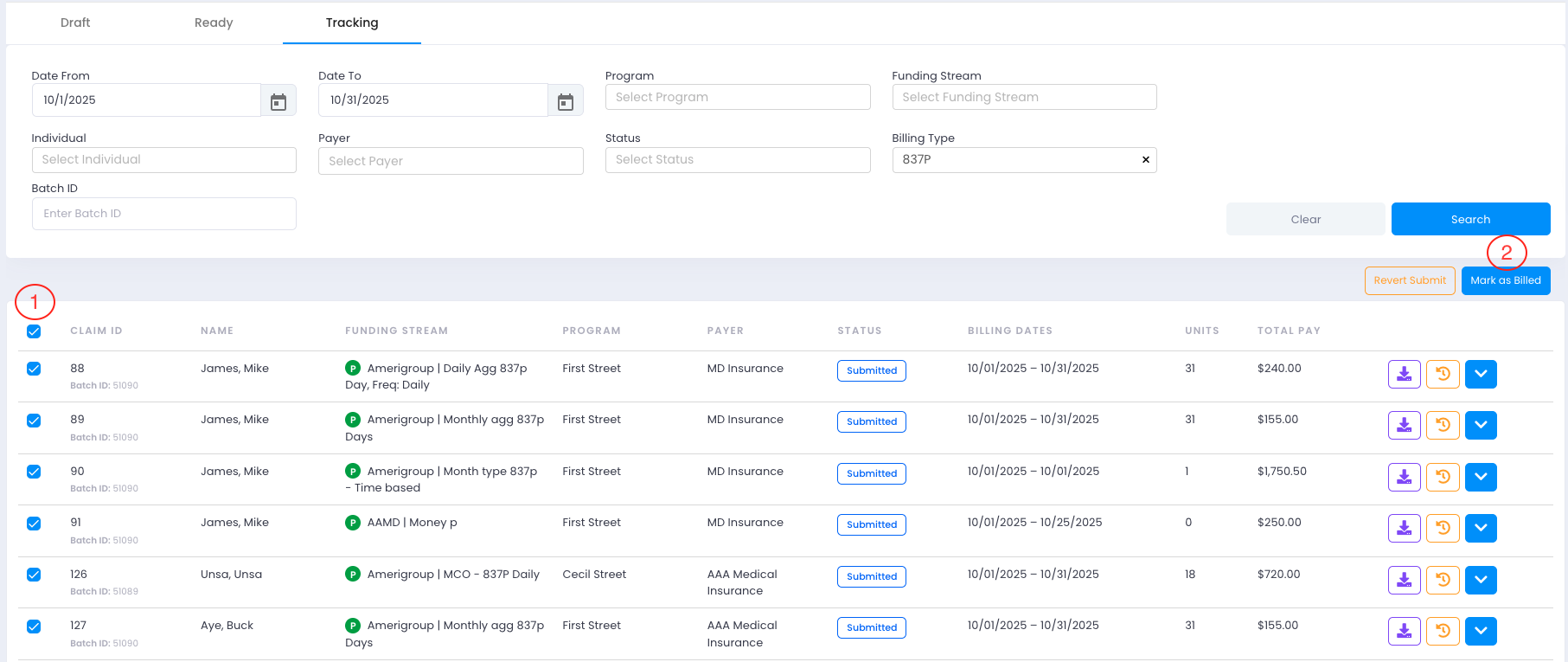

On Tracking Tab users have the ability to download the Batch again.
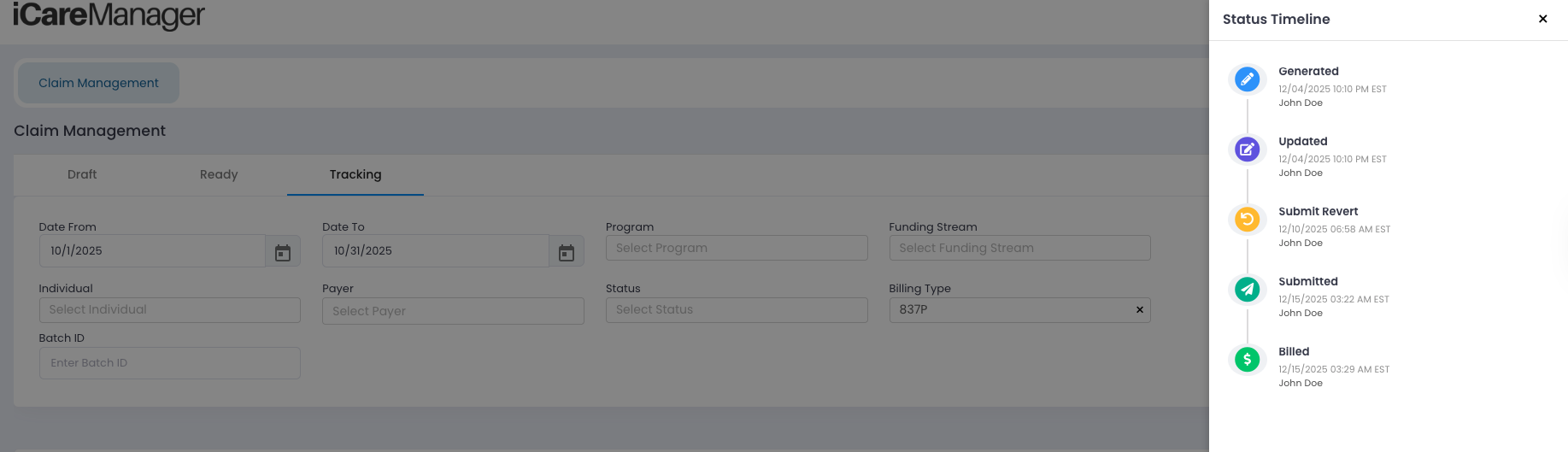
Users can see the Complete Status Log of the Claims.
Future Enhancements
- A comprehensive reconciliation dashboard
- Direct electronic submission via supported EDI platforms
- Automated claim status tracking including Acknowledged, Accepted, Paid, and Denied
- Support for claim resubmission